How to Download Premium Voices
Quick Navigation
Premium voices offer higher quality and more natural-sounding speech for your audiobooks. Follow these steps to download premium voices and use them in BookNPC.
Step 1: Access Voice Settings
Open your device's  Settings app and navigate to Accessibility > Read & Speak > Voices.
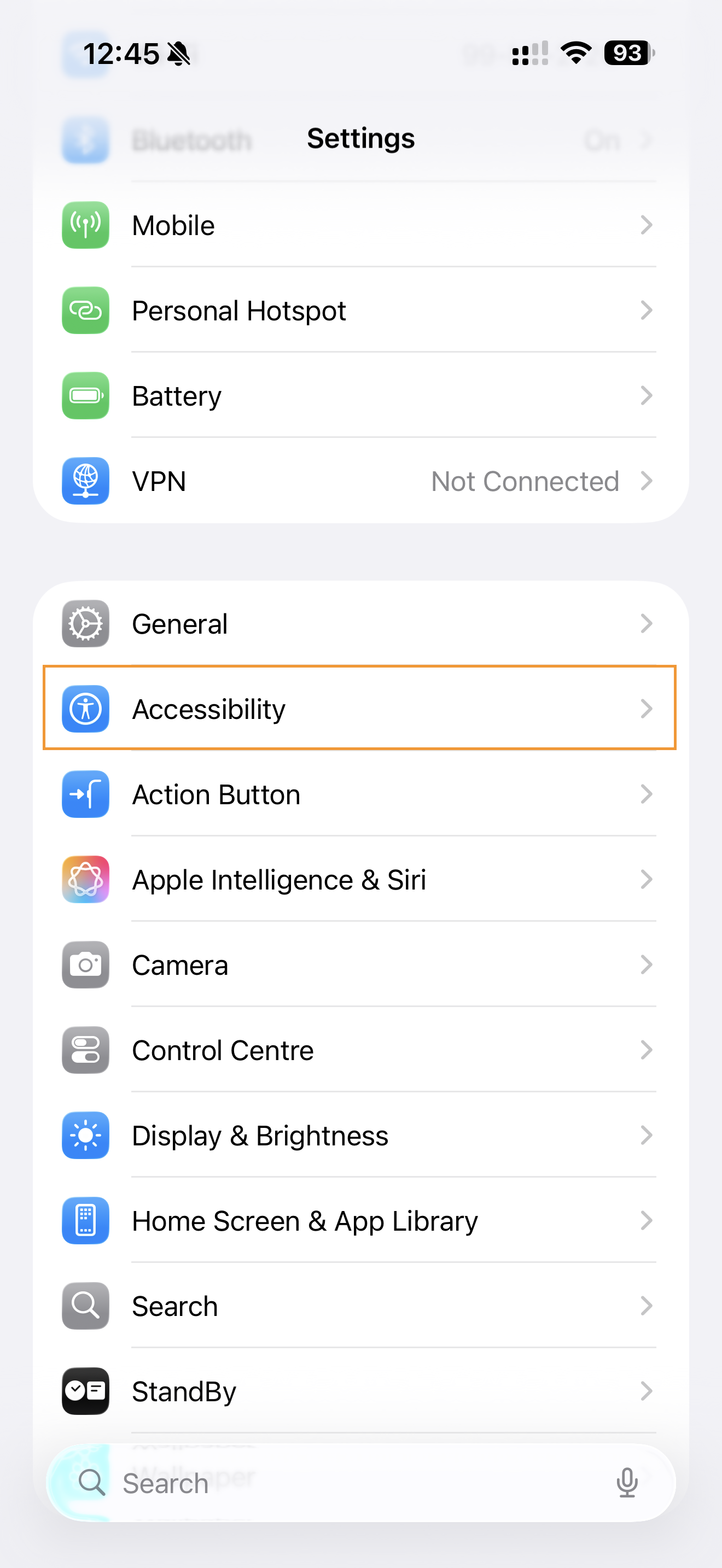
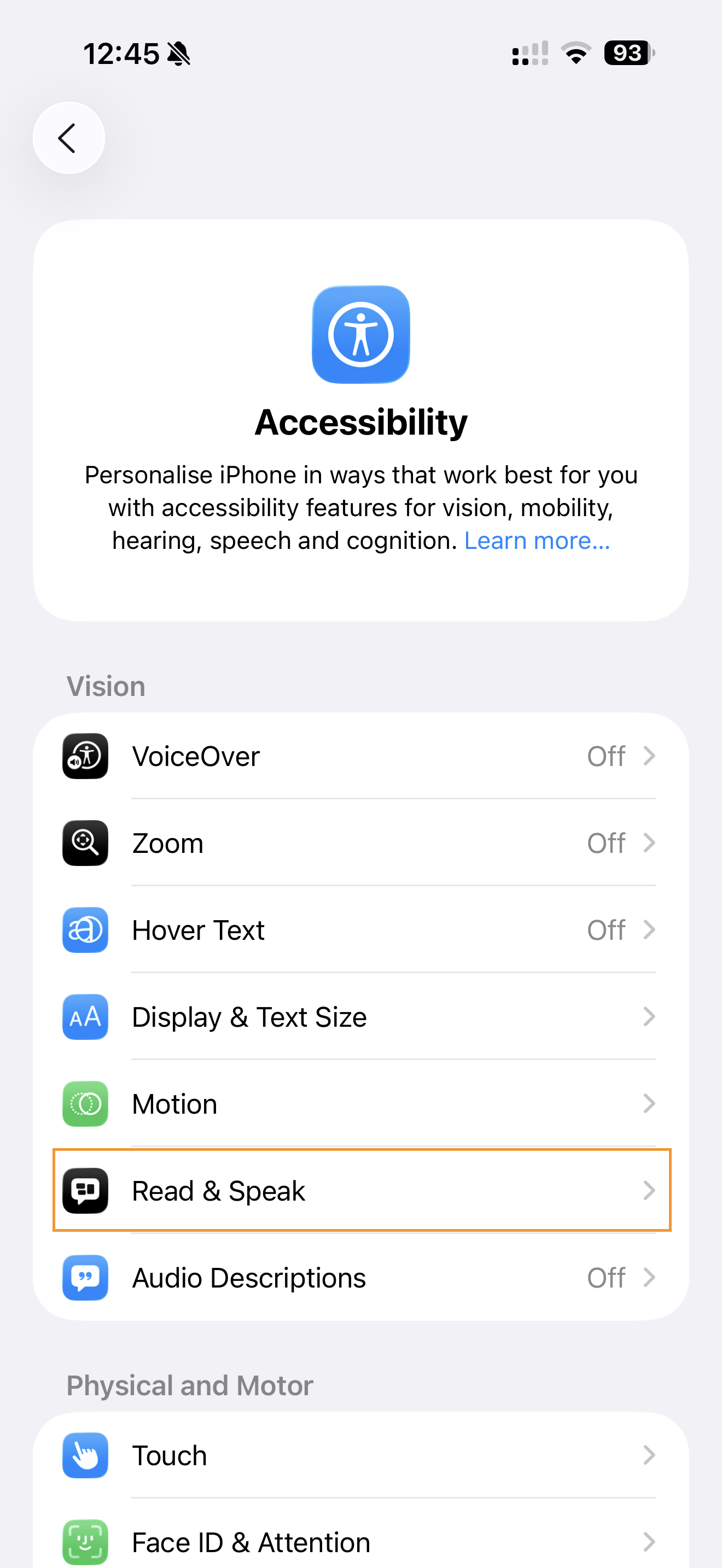
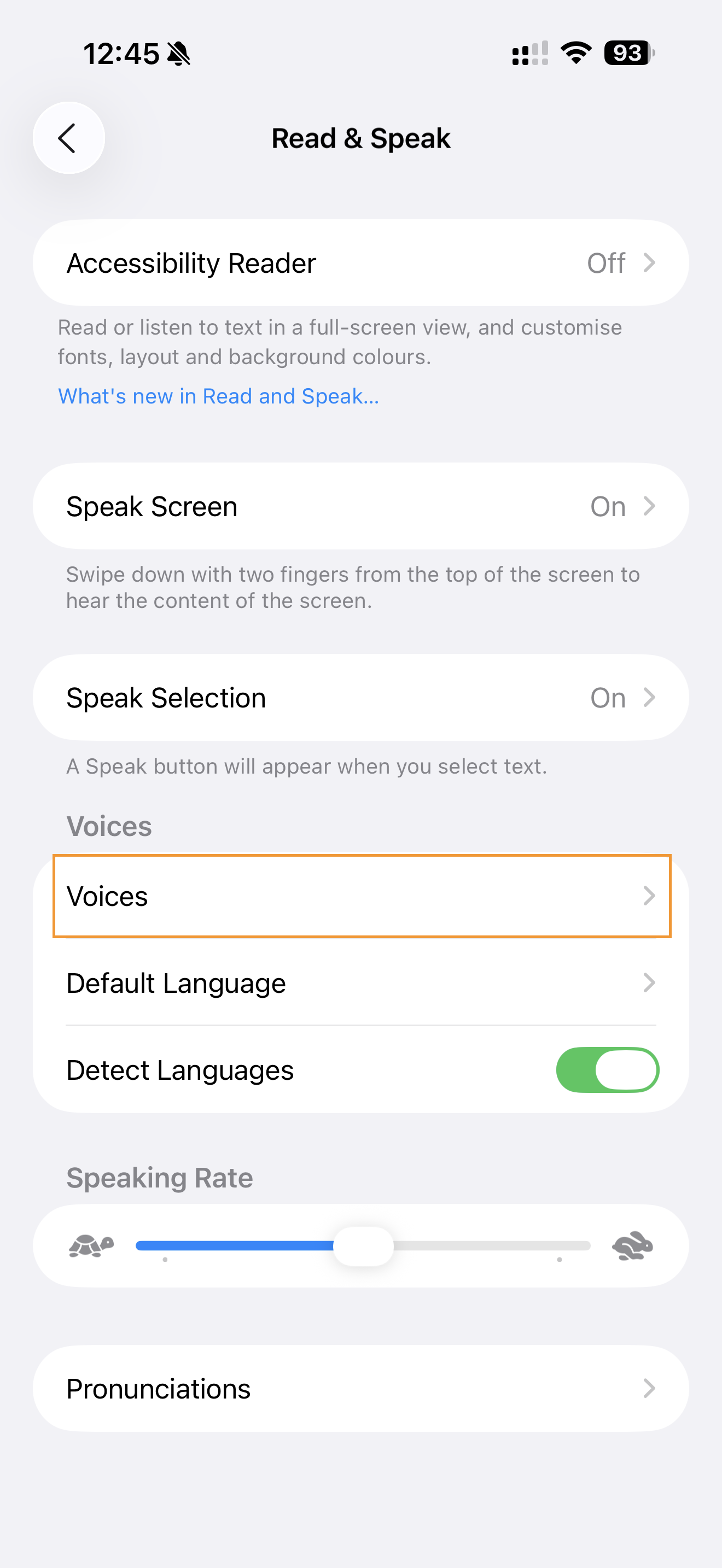
Step 2: Choose Your Language
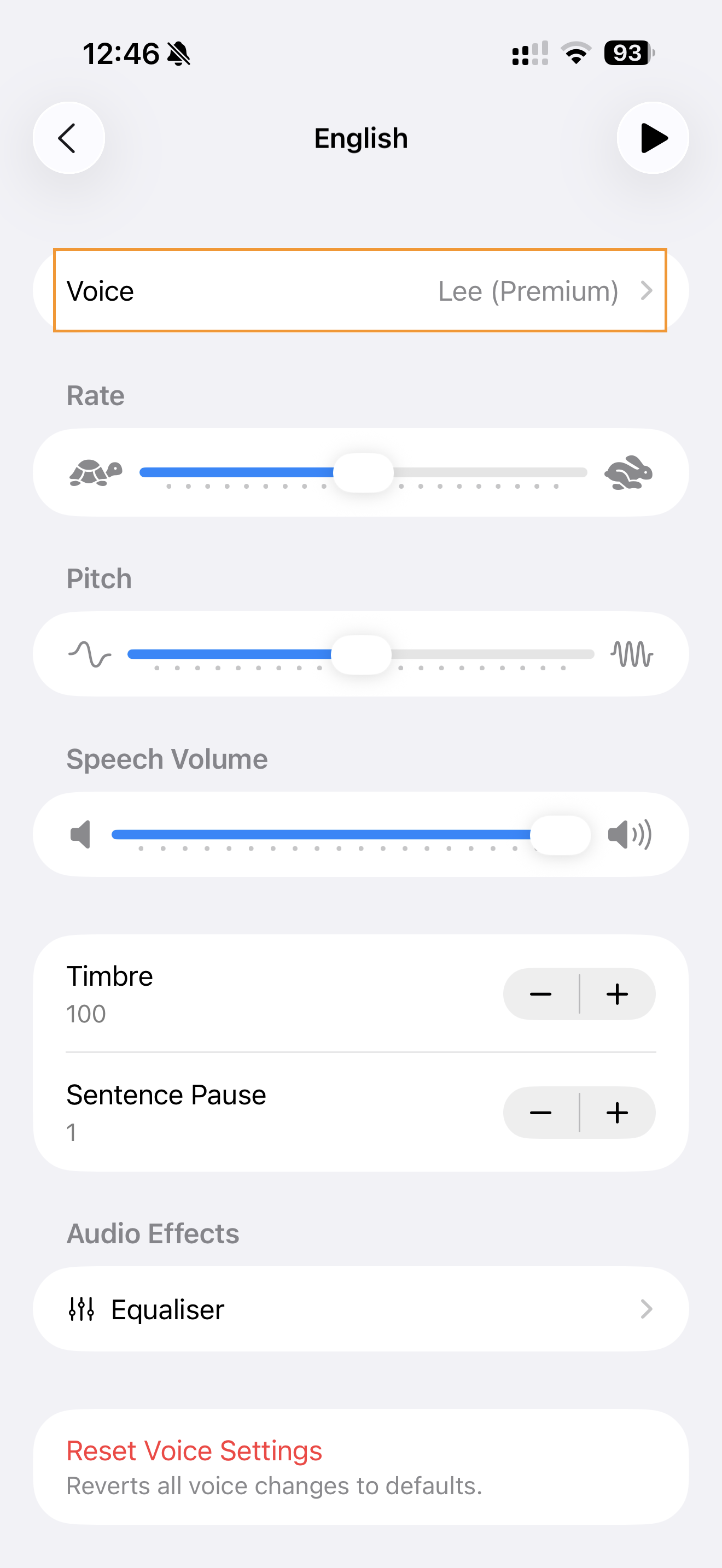
Select your preferred language from the list. Each language may have multiple voice options available.
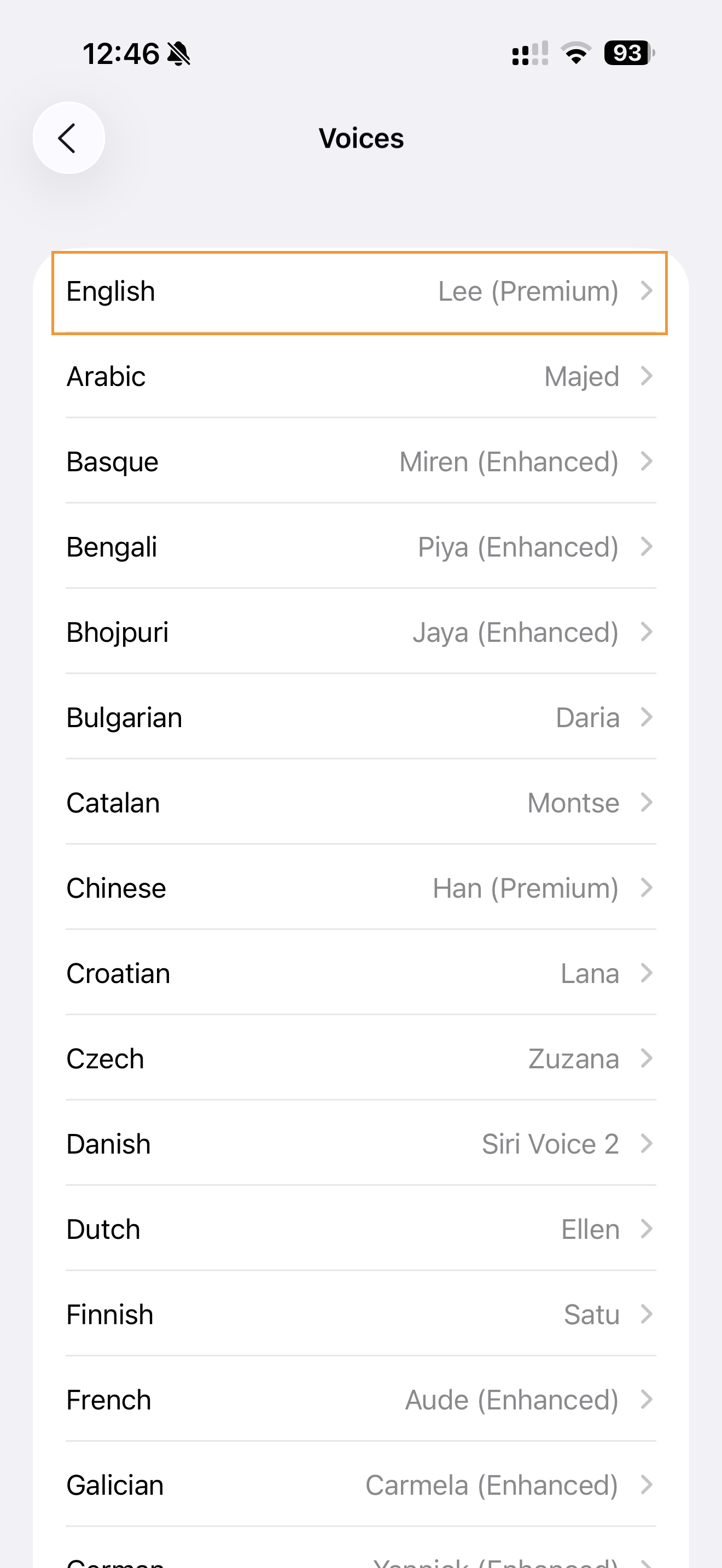
Step 3: Select and Download Premium Voices
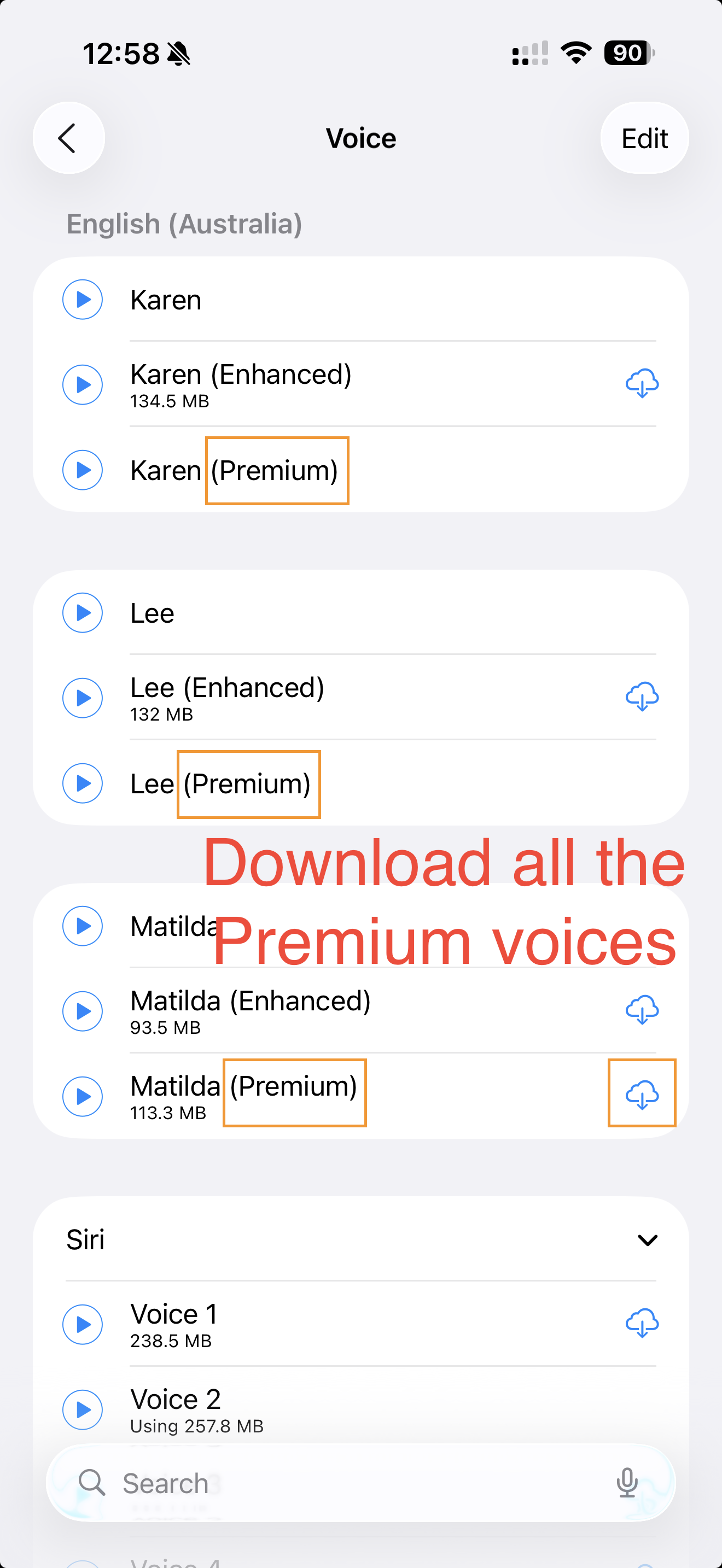
Look for voices marked with "(Premium)" - these are the high-quality voices. Tap on a voice to preview it, then tap the download icon (cloud with arrow) to download.
Important Notes:
- Premium voices require more storage space (100-200 MB each)
- Download using Wi-Fi to avoid mobile data charges
- Premium voices work offline once downloaded